Go from raw instrument data to quality checks, analytical results, and an editable Origin® project—with less repetitive work and more confidence in every figure.
Start with raw data. Finish with results you can inspect and edit.
Select your files and research task. Oparic recognizes instrument formats, checks data quality, performs the analysis, and delivers plots, parameter tables, and editable Origin projects.
OparicFrom files to results
12 raw files
MPRpost-cycle-03DTApost-cycle-02Z60post-cycle-01
EC-Lab · Gamry · CorrTest
OEquivalent-circuit fittingFormat recognizedConsistency checkedModel and residuals
Nyquist and fitted resultQuality checks passed
R04.82 ΩR1128.4 Ωχ²2.1×10⁻⁴
Origin®EIS-fit.opjuPlots and worksheets remain editable
Analysis completeResults, evidence, and an editable project are ready
Origin® .opju
Data qualitySuitable for continued analysisHigh-frequency real-impedance and Lin-KK checks passed
Fitted parameters
R0
4.82 Ω
R1
128.4 Ω
CPE1-n
0.873
χ²
2.1 × 10⁻⁴
From files to deliverables
Start directly from raw instrument files.
Select the original files from your instrument. Oparic recognizes the format, normalizes columns and units, and retains the intermediate data needed to review the analysis.
01 / Read
Common raw instrument formats
CHI text and .bin, BioLogic EC-Lab .mpr, Gamry .dta, Autolab/NOVA Excel, CorrTest, IEST, and general CSV, TXT, and Excel data.
02 / Analyze
A reviewable analytical process
Retain normalized data, peak positions, fitted parameters, residuals, quality checks, and diagnostic context. Change parameters and rerun without preparing the input again.
03 / Deliver
Everything needed for the next step
Export CSV/XLSX, publication-quality images, written reports, and editable Origin® .opju projects.
Capabilities
See data quality, analytical conclusions, and deliverables together.
Check whether the data and method assumptions hold before interpreting the result.
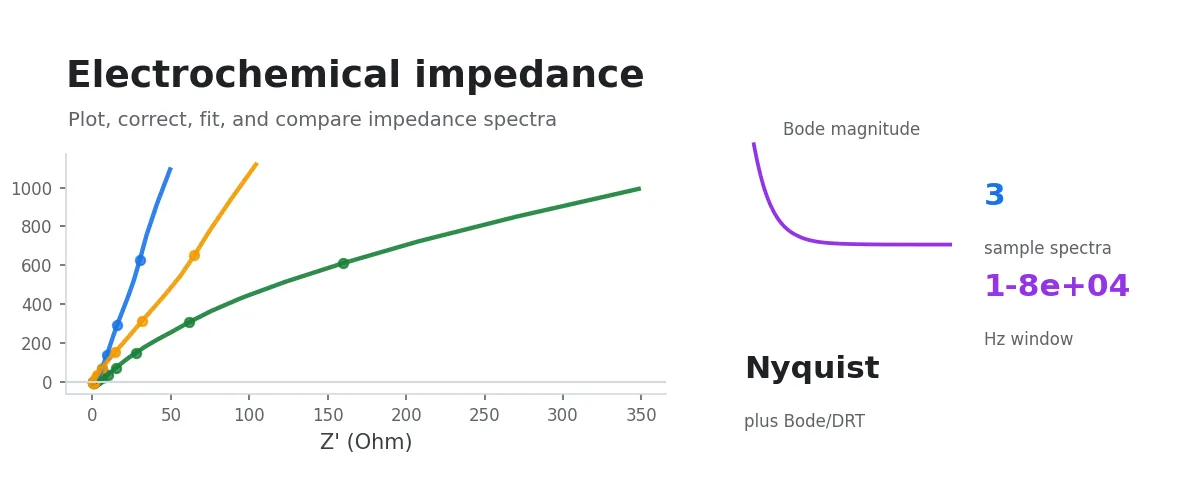
Nyquist, Bode, DRT and heatmaps, blank subtraction, consistency checks, and equivalent-circuit fitting.
Check first, analyze second
Know when a polished plot should not be trusted.
Quality conclusions appear before the final result, so anomalous data is not hidden by an attractive fitted curve.
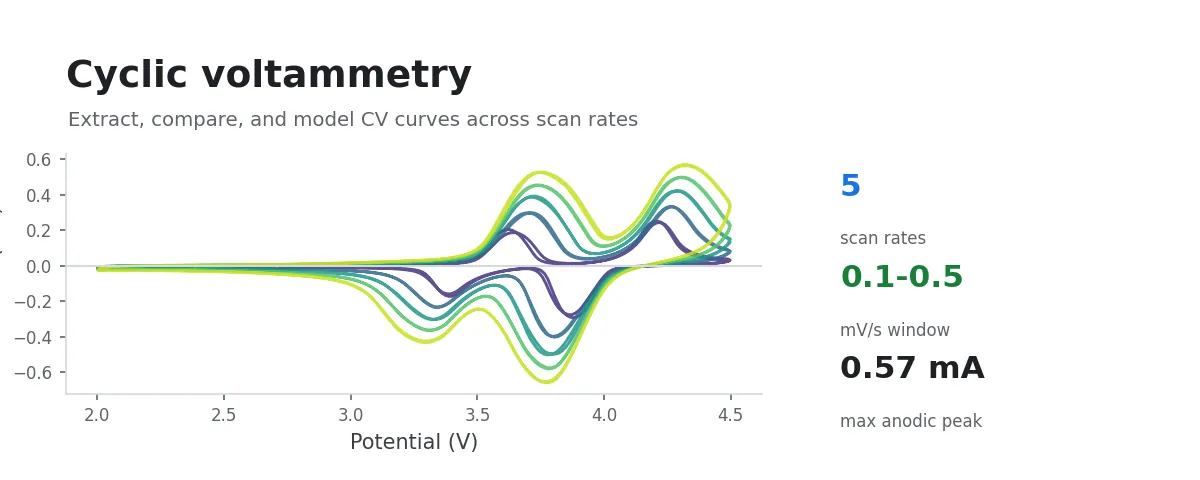
CV reversibility checksReview peak shape, peak-current ratios, and method assumptions before Randles–Sevcik analysis.
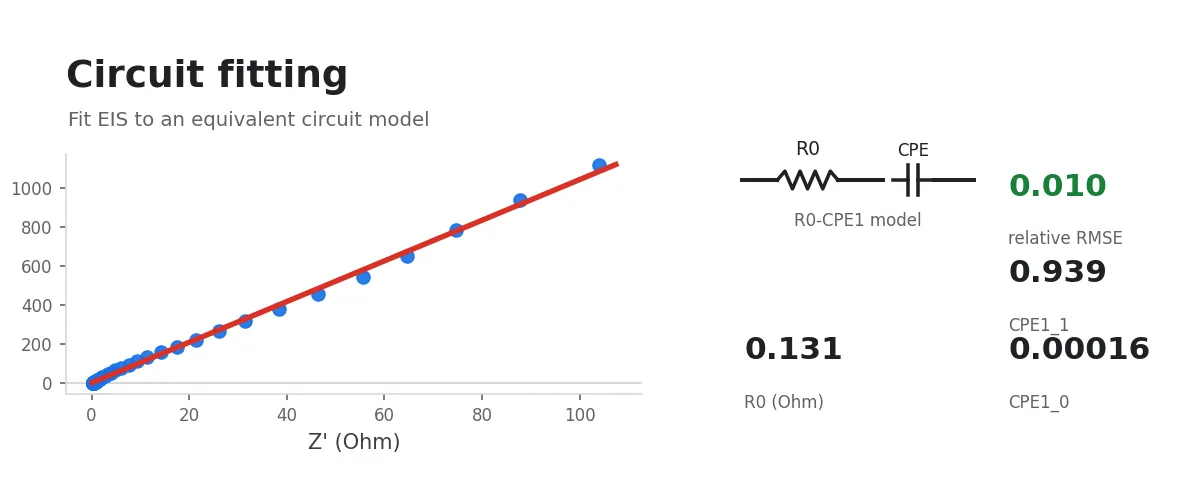
EIS consistency checksInspect high-frequency real impedance and Kramers–Kronig consistency before equivalent-circuit fitting.
Sources and next stepsWorkflow documentation explains the basis for conclusions, risks, references, and suggested actions.
Available now
Common CV and EIS research tasks
Each workflow defines its input, methodological assumptions, and deliverables.
CV
Core processingFormat recognition, last-cycle plotting, coulombic efficiency, and double-layer capacitance
Kineticsb-value and Randles–Sevcik diffusion coefficient / electroactive area
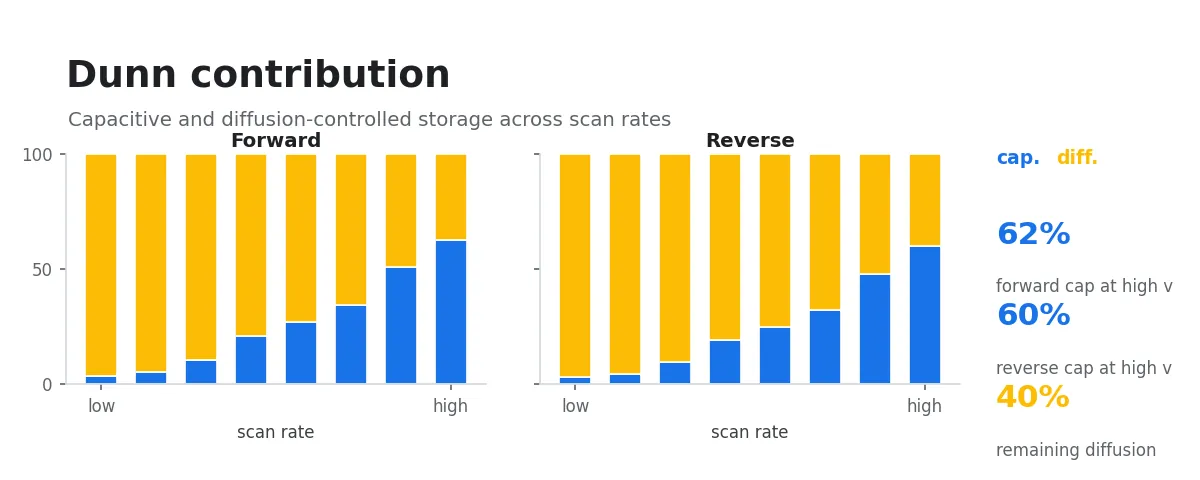
Contribution analysisDunn capacitive / diffusion contribution, heatmaps, and 3D surfaces
EIS
Plotting and correctionNyquist / Bode, multi-sample comparisons, and blank subtraction
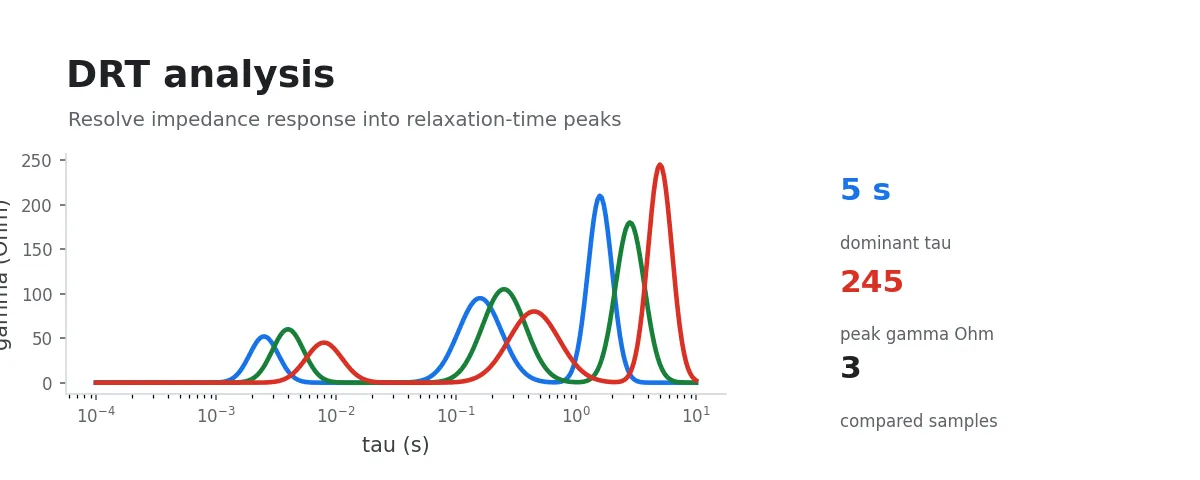
Process resolutionDRT peaks, residuals, and multi-sample τ heatmaps
Model fittingR / C / CPE / Warburg circuits, parameter tables, and residual diagnostics
For research groups
Make data analysis part of a formal research workflow.
Adoption is not only about faster plots. Results need to be reviewable, deliverables need to remain editable, and researchers need a clear support path when a difficult case appears.
01
Methods and results remain reviewable
Quality checks, fitting diagnostics, intermediate data, and references are delivered with the analysis.
02
Outputs remain usable
Plots, tables, reports, and editable Origin projects support papers, reports, and independent review.
03
Continuous workflows and support
Professional workflows, documentation, feedback channels, training, and volume licensing can evolve with your group.
Need organization invoicing, multiple users, or volume licensing?
Contact us to discuss procurement and support requirements.
English product information is ready. The desktop interface is still Chinese-first.
This English site covers Oparic’s capabilities, workflow documentation, setup, and support. The current Windows desktop application still uses a primarily Chinese interface, and this release does not add an English checkout.
Web
English overview and articles
Understand the product, supported data formats, analytical scope, output formats, and research use cases.
Docs
English workflow references
Review inputs, assumptions, outputs, quality checks, and interpretation guidance before evaluating a workflow.
Support
Direct evaluation help
Contact the team for English onboarding, a workflow fit check, research-group use, or procurement questions.
Need help evaluating Oparic before using the Chinese-first desktop client?